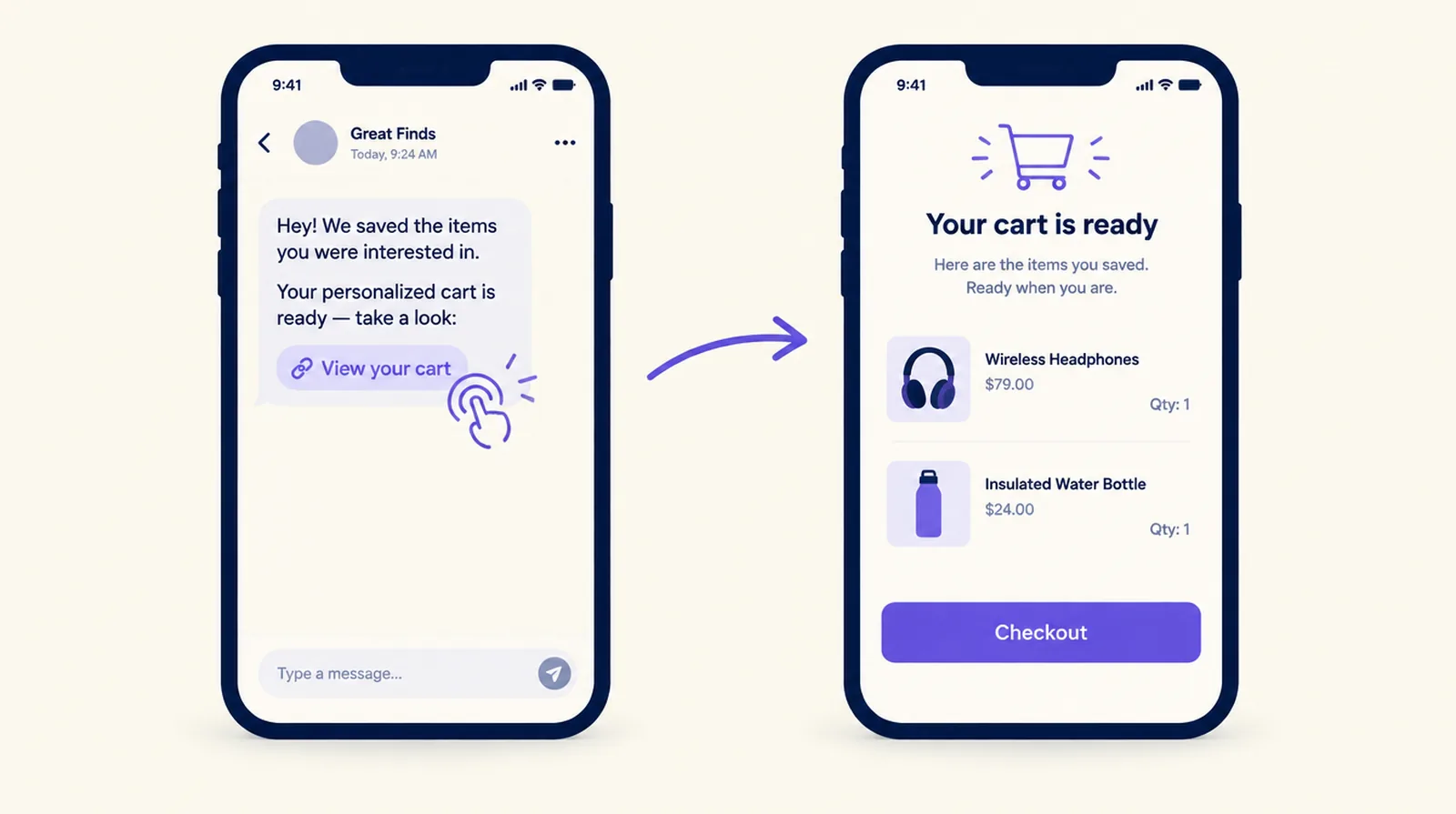
Cart Rocket is a Shopify app that turns a campaign into one link. The link adds products to the cart or opens checkout with the discount already applied, so shoppers have no code to type, and every order it brings in is tagged and tracked back to the link. It's listed on the Shopify App Store as Cart Rocket: Cart Links & QR and costs $9 a month for one active link or $15 a month for unlimited links, with a 7-day free trial.
Cart Rocket is made by Thought Bulb, which also publishes this site. Features and prices below come from the app's Shopify App Store listing.
What a link can hold
- Products for the cart, or a straight route to checkout.
- Discounts that apply without a code, on products, the order or shipping. Discounts can be stacked.
- A bundle at one set price, or a free gift, in the same link.
- Limits on who can use the link and when.
If shoppers need to choose a size or colour, a picker page inside your store theme lets them do it before checkout. Every link can also be shared as a QR code.
Links for specific jobs
- Creator links give each creator their own code, with opens, orders and revenue per creator.
- Reorder links and personal links are built for email and SMS tools, so a customer can buy again or finish an order prepared for them.
- One link per campaign or product on the Pro plan, so each email, ad or creator has its own numbers.
Tracking
Every order from a link is tagged. Each link shows opens, checkouts and sales, the listing includes UTM tracking and checkout funnel reporting on both plans, and creator links report per creator.
Do you need an app at all?
Shopify has free cart permalinks. A link like /cart/VARIANT_ID:QUANTITY fills a cart, discount=CODE applies a code, and Shopify's developer docs list parameters for a note, cart attributes, a referral code, sending people to the cart instead of checkout, and Shop Pay. The admin can generate one for a single variant at quantity 1, through the Buy Button sales channel.
Shopify's docs state that selling plans don't work with cart permalinks and that permalinks can't get past a storefront password. They don't describe per-link reports, limits on who can use a link, bundles at a set price or QR codes. In June 2026 the email and phone prefill on checkout links stopped working, and Shopify staff posted a fix in August while saying they weren't sure it covered every parameter.
If you send one product with one discount code and track results in your own analytics, a permalink is enough. If you want discounts without a code, bundle pricing, creator reporting or limits on who can use a link, that's what the app adds.
Setup notes from the docs
- The app embed has to be on in your theme for discounts and bundles to apply.
- Discounts apply to shoppers who check out through the link.
- Changing a link's address breaks copies already shared, so set the address before you publish it.
Pricing
| Plan | Price | What's included |
|---|---|---|
| Basic | $9 a month | 1 active cart link, discounts without a code, bundles, picker page, creator links, reorder and personal links, QR codes, order tags, UTM tracking and checkout funnel reports |
| Pro | $15 a month | Unlimited cart links and everything in Basic |
Both plans have a 7-day free trial and bill every 30 days in USD. There's no free plan on the listing.
A first link in five steps
- Install the app and turn on its app embed in your theme.
- Add the products, or a bundle or free gift, and the discount.
- Choose the cart or checkout, and set who can use the link and when.
- Add your UTM parameters, or make a creator link.
- Share the link or its QR code, then watch opens, checkouts and sales for a few days before you scale it.
Once shoppers land in checkout, a checkout app can take over. On Shopify Plus, a threshold gift or one relevant upsell can sit alongside a link's offer, as long as you test that the two discounts combine the way you expect.
Related comparisons
- Shopify cart link apps compared
- Shopify bundle apps compared
- AI chat and shopping assistant apps for Shopify compared
Other partner guides
- Cart Rocket: shareable cart and checkout links
- TB Bundles: build-your-own boxes, quantity breaks and mix and match
- Agentmatica: an AI sales and support agent for your store
Sources
Checked on October 14, 2026. Prices, ratings and features change, so confirm on each listing before you decide.
- Cart Rocket on the Shopify App Store
- Cart Rocket documentation
- Shopify Help Center: cart permalinks
- Shopify.dev: create cart permalinks
- Shopify developer community: checkout link prefill
Frequently asked questions
What is Cart Rocket?
A Shopify app that builds shareable links which add products to the cart or open checkout with discounts already applied, and tags and tracks the orders each link brings in.
How much does Cart Rocket cost?
$9 a month for one active link or $15 a month for unlimited links, each with a 7-day free trial, according to its Shopify App Store listing.
Can I make a cart link without an app?
Yes. Shopify cart permalinks fill a cart with variants and quantities and can apply a discount code. Shopify's docs don't describe per-link reports, bundle pricing or limits on who can use a link.
Does a Cart Rocket link need a discount code?
No. Discounts on products, the order or shipping apply automatically when the shopper uses the link.
Why didn't the discount apply to a Cart Rocket link?
Check that the app embed is on in your theme and that the shopper checked out through the link.