
For a florist or a bakery the date is part of the product, and a Shopify checkout doesn't ask for it. This guide sets up a calendar with the delivery date picker in Smart Checkout Widgets. It works on every Shopify plan and is part of the app's paid plans.

Answer these first
- How long does an order take to make? That is your lead time, and it may differ for pickup and delivery.
- When do you stop taking orders for the next day?
- Which days do you deliver, and which days can people collect?
- Which dates are you closed or already full?
A flower shop
Say a shop makes bouquets the day before, delivers Tuesday to Saturday and is open for pickup Monday to Saturday.


| Setting | Delivery | Pickup |
|---|---|---|
| Lead time | 2 days | 1 day |
| Cutoff time | 14:00 | 16:00 |
| Days of the week | Tue to Sat | Mon to Sat |
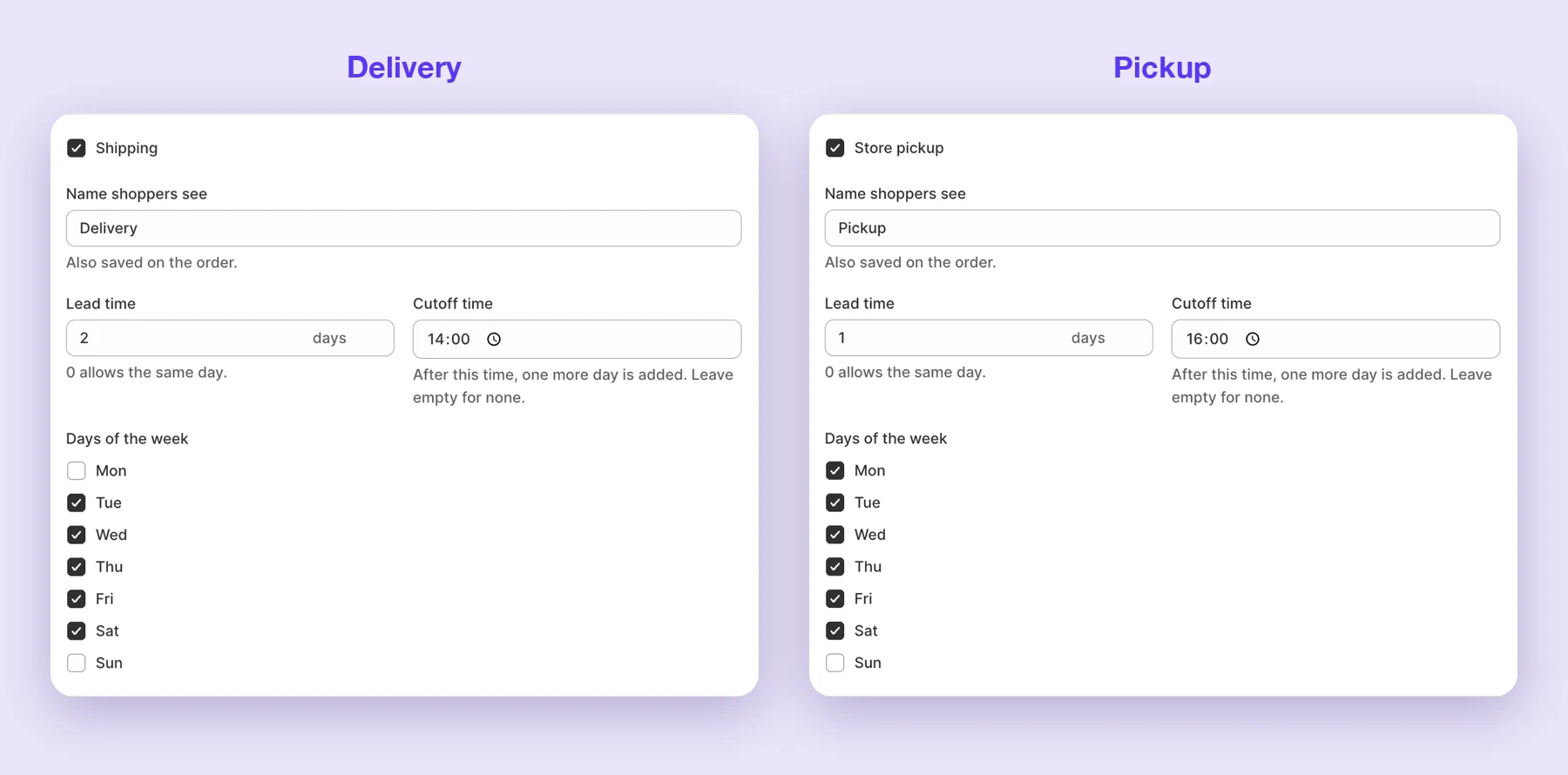
A customer ordering on Wednesday at 13:00 can have delivery on Friday. At 15:00 the cutoff has passed, so the first delivery day becomes Saturday. Pickup on Thursday is still open until 16:00. The times are the shop's, so a customer abroad sees the same days.
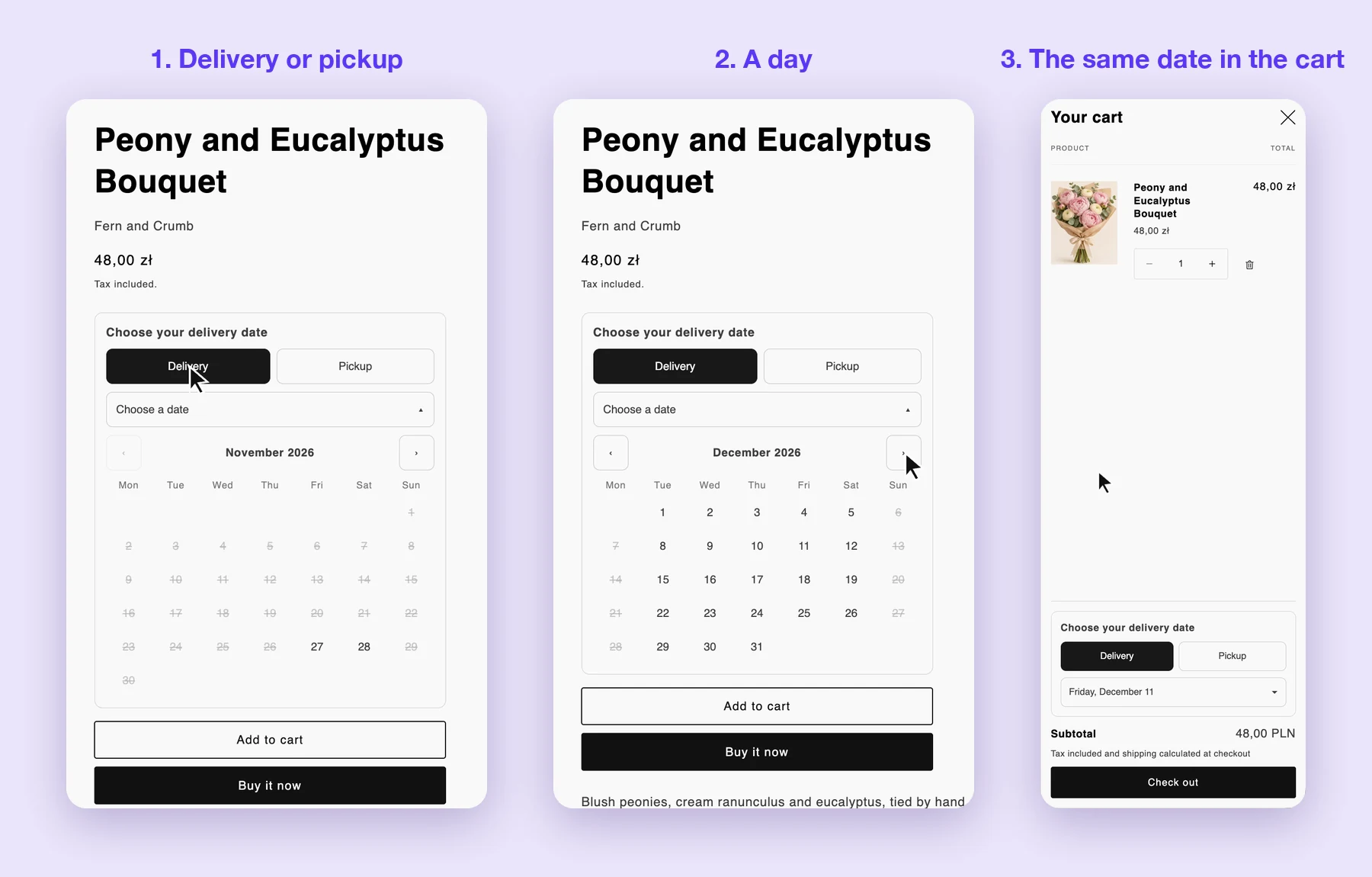
A bakery
Bread can be ready tomorrow and a celebration cake needs four days. The lead time applies to the whole store, so there are two ways to handle that:
- Set the lead time for the slowest product. Simple, and bread customers wait longer than they need to.
- Set it for the fastest product and say on the cake's page that it needs four days. You then check cake orders by hand.
Lead times per product are not available yet, so the first way is safer if cakes are most of what you sell.
Two or more shops
Customers choose pickup and a day in the calendar, then pick the shop at checkout from the locations you have switched on for pickup in Shopify. Every location uses the same pickup days. If one shop closes on Mondays and the other doesn't, untick Monday for both, or keep Monday and say on the product page which shop is open.
Holidays and busy days
Add closed dates for public holidays and for days you can't take any more orders. A range works too, so one entry covers a week off. There is no automatic limit on orders per day, so close a busy day yourself when it is full.
For Valentine's Day or Mother's Day, close the days before and after if you only deliver on the day itself.
Require the date
Switch on Require a date before checkout if an order without a date is useless to you. Checkout then also stops a customer who picks a delivery date and later chooses pickup. Leave it off if you take orders through draft orders or checkout links, since those are checked as well. Try your express buttons, such as Shop Pay, once after you switch it on.
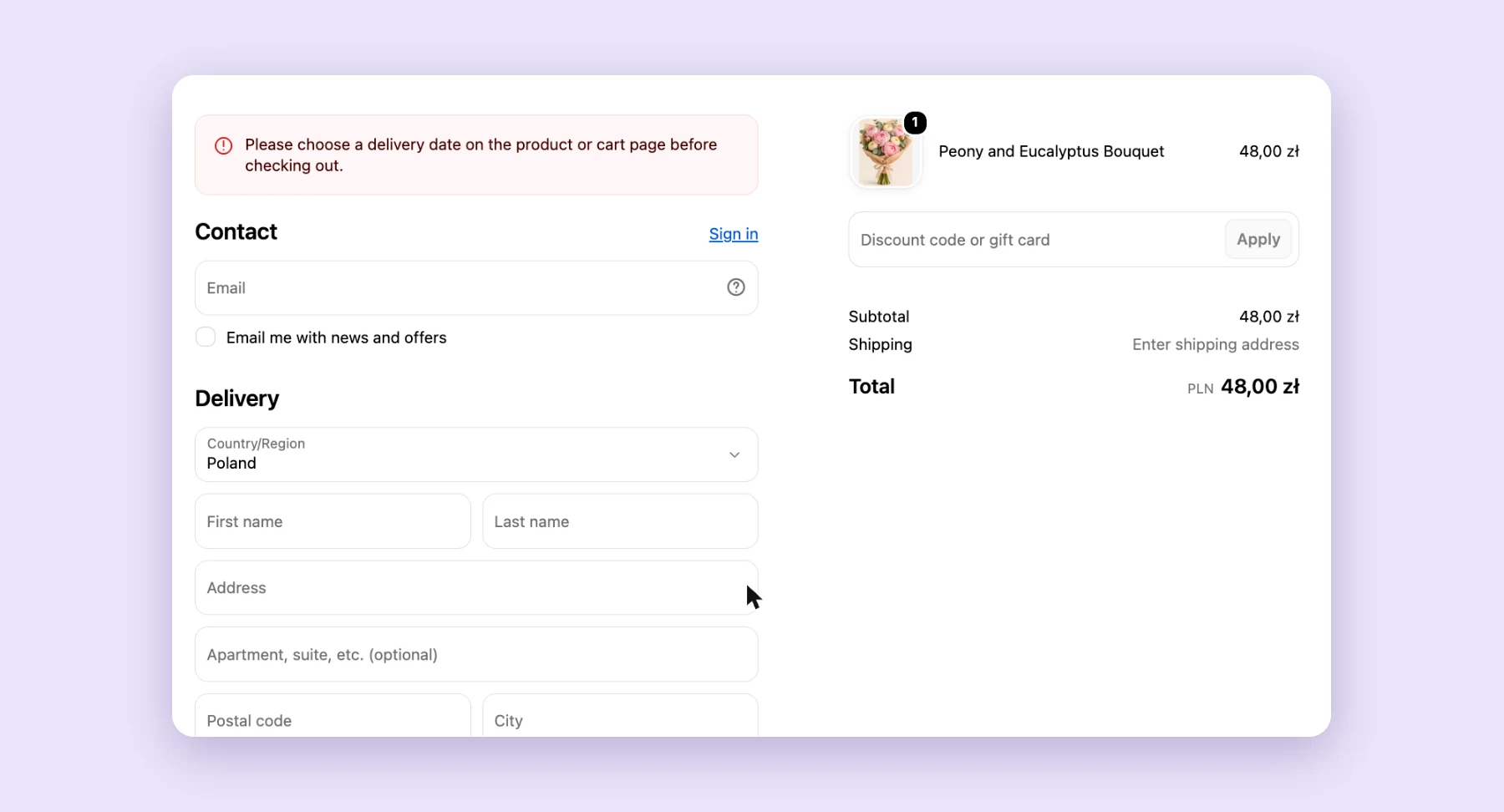
The calendar doesn't change your shipping setup. Local delivery areas, pickup locations and their prices still come from Shopify. If some postcodes can't have delivery, a shipping rule by postcode handles that.
In the workroom
Each order shows its method and date under Additional details in Shopify admin. Add the Delivery date block to the Thank you and Order status pages too, so customers can check the day themselves.
Frequently asked questions
Can I set different cutoff times for delivery and pickup?
Yes. Lead time, the cutoff and the days of the week are set separately for shipping, local delivery and pickup.
Can I set a lead time per product?
Not yet. The lead time applies to the whole store for each way to receive an order.
Can each shop have its own pickup days?
Not yet. Customers choose the shop at checkout, and all locations share the same pickup days, lead time and cutoff.
Can customers choose a time slot?
Not yet. They choose a day.
Can I limit how many orders I take per day?
There is no automatic limit. Add the day to your closed dates when it is full.
Which time zone is the cutoff in?
Your store's time zone, for every customer.