
Short answer: choose Smart Checkout Widgets for payment and shipping rules in one app, free up to 100 orders a month, with the Thank you page, gifts and order editing alongside. Choose Kip, HidePay, Payfy or PayRules for payment rules on their own, and Blockify for rules plus order validation.
We make Smart Checkout Widgets, one of the apps here. Prices and features come from each app's Shopify App Store listing on November 25, 2026. "Not listed" means the listing doesn't mention it, and the app may still do it. Check each listing before you buy.
The seven apps side by side
| App | Payment rules | Shipping rules | Rule limit | Plans |
|---|---|---|---|---|
| Smart Checkout Widgets | Yes | Yes | No limit by plan | Free to 100 orders, $29, $59, $99 |
| HidePay | Yes | HideShip, or a bundle | Not listed on paid plans | $3.99, $5.99, $7.99 |
| HideShip | HidePay, or a bundle | Yes | Not listed | $3.99, $5.99, $7.99 |
| Payfy | Yes | Not listed | 2 at $3.99, 25 at $5.99 | $3.99, $5.99, $7.99 |
| Kip | Yes | Not listed | 1 hide rule free, unlimited at $3 | $3 |
| PayRules | Yes | Not listed | 5, 10 or 25 | $4.99, $9.99, $19.99 |
| Blockify | Yes | Yes | 1 synced rule at $9.99, unlimited at $29.99 | $9.99, $29.99, $79.99 for Plus |
Which one fits
HidePay and HideShip: a pair
One for payments, one for shipping. Rules with several conditions start at $5.99. HidePay lists hiding express buttons, and HideShip lists importing postcodes by CSV and creating shipping rates.
Payfy and PayRules: payment rules only
Payfy lists hiding COD for PO boxes and postcodes, B2B conditions and metafields on $7.99. PayRules counts active rules: 5, 10 or 25.
Kip: $3
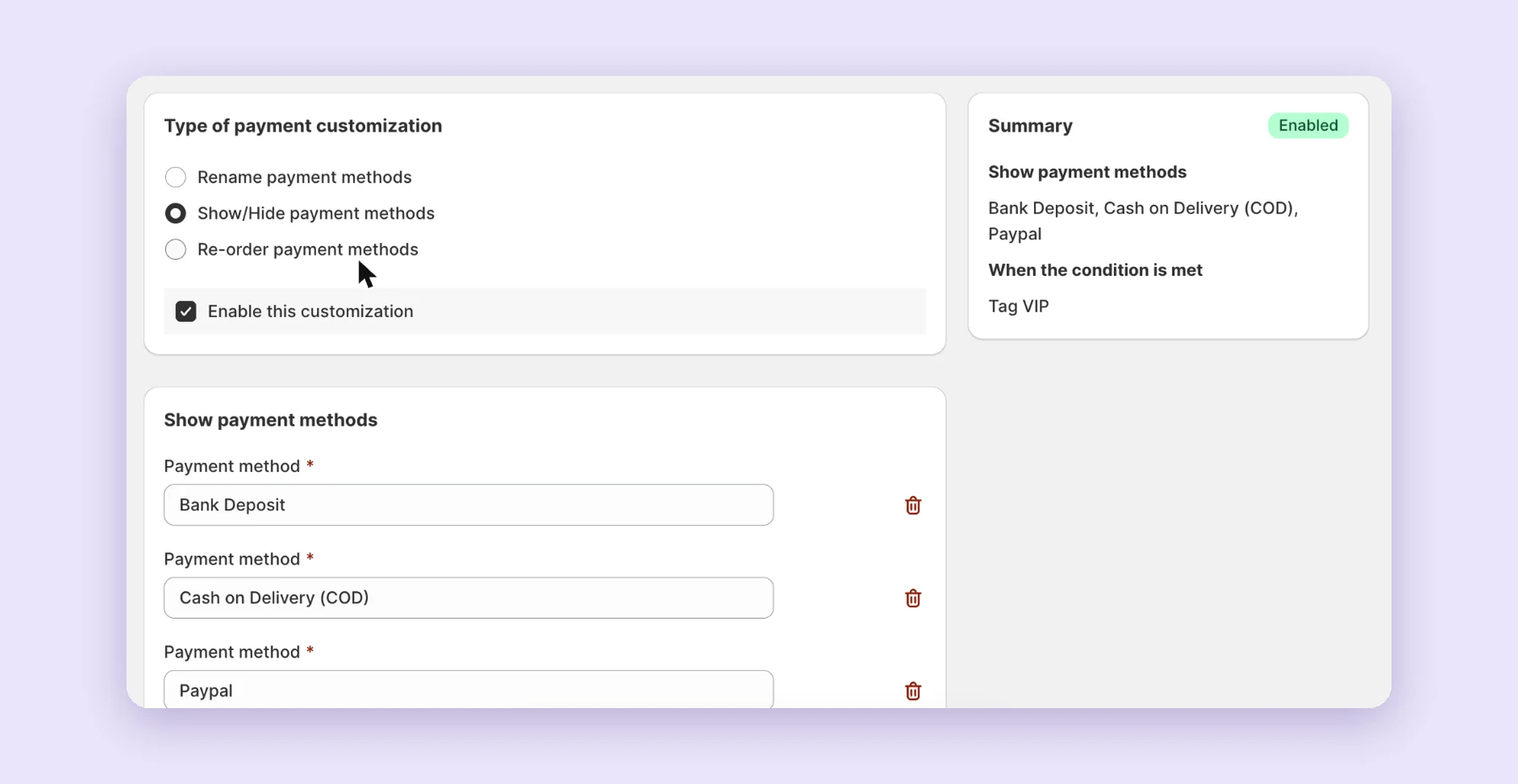
Unlimited rules to hide, rename and sort payment methods, and hiding express checkout buttons. One hide rule is free.
Blockify: rules and validation
Adds checkout validation, order limits, COD fees and discounts. It suits stores that also need to stop certain orders.
Smart Checkout Widgets: both, with no limit by plan
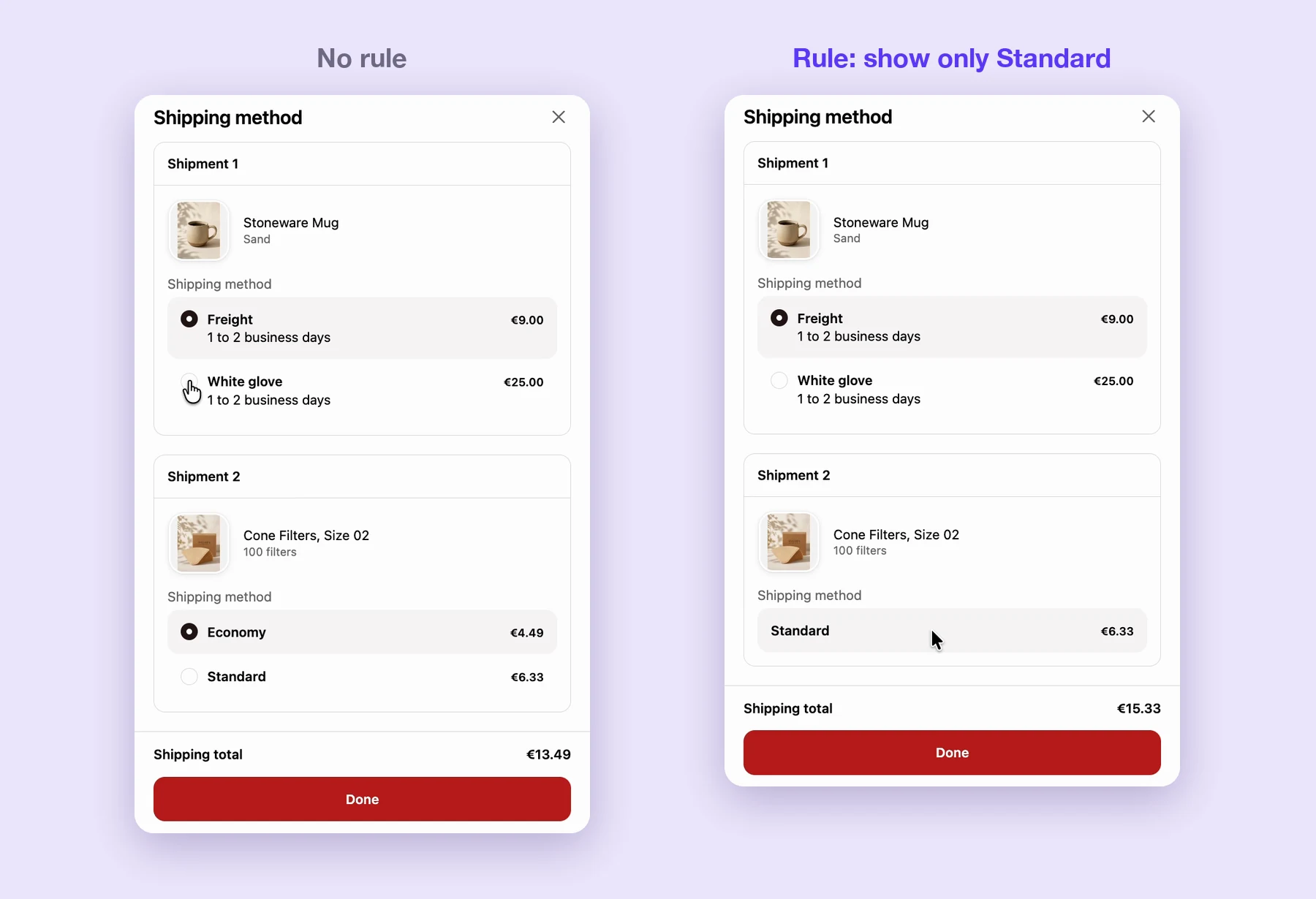
Hide, rename and reorder payment and shipping methods, or show only the shipping rates you name. Conditions include cart total, product tag, collection, customer tag, country, postcode ranges, weekday and date. Rules work inside each shipment when Shopify splits a cart.
Test any of them in five minutes
- Write the rule and note exactly which method name it matches.
- Check out as a guest with an address that should trigger it.
- Check out with one that shouldn't.
- Try express buttons and a cart that splits into two shipments.
Our guides: hiding Cash on Delivery, shipping methods and split shipments.
Sources
- HidePay, Shopify App Store, November 25, 2026
- HideShip, Shopify App Store, November 25, 2026
- Payfy, Shopify App Store, November 25, 2026
- Kip, Shopify App Store, November 25, 2026
- PayRules, Shopify App Store, November 25, 2026
- Blockify, Shopify App Store, November 25, 2026
Frequently asked questions
Do I need Shopify Plus to hide payment methods?
No. Apps that use Shopify Functions hide, rename and sort payment and shipping methods on every Shopify plan.
Is there a free app to hide Cash on Delivery?
Smart Checkout Widgets is free up to 100 orders a month with no rule limit by plan, and Kip lists one hide rule free.
Can one app handle both payment and shipping rules?
Blockify and Smart Checkout Widgets list both in one app. HidePay and HideShip are two apps with a bundle price.
Can an app hide the Pick up option?
No. Shopify lets apps hide single pickup locations, but not the Pick up method itself.