
A customer buys a mug and a box of coffee filters. The mug ships by Freight or White glove, the filters by Economy or Standard, and checkout shows two shipments with a choice for each. If your shipping rule removes every option from one of them, the customer can't check out.
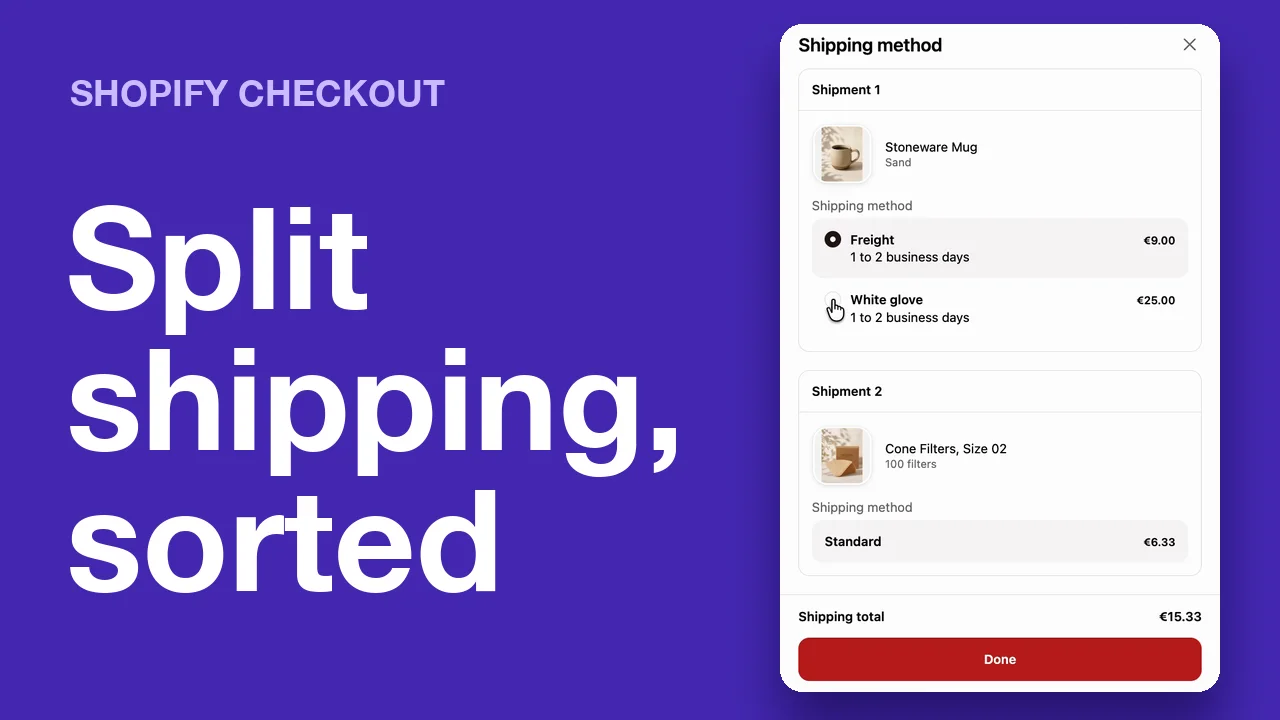
Split shipping or ship and pickup?
Shopify has two features that put several deliveries in one order, and they are on different plans.
| Split shipping | Ship and pickup in one order | |
|---|---|---|
| What it does | Shows several shipments, each with its own rates | Ships some items while the customer collects others |
| Shopify plan | Every plan, Basic included | Plus and Enterprise |
| Where to find it | Settings, Shipping and delivery, if you have more than one shipping profile or location | Settings, Feature test drives. Shopify turns it on for all eligible Plus stores on July 1, 2027 |
| Our shipping rules | Work inside each shipment | Limit the shipped items, leave the pickup alone |
Shopify opened split shipping to all merchants in August 2024. Its help pages cover split shipping and ship and pickup. Stores that have moved to shipping options by market have split shipping on already, and the setting no longer applies to them.
Not seeing two shipments?
With local delivery switched on, Shopify doesn't show several shipments at checkout. It also won't split a single line: five of the same shirt have to ship from one location.
Show only one rate
Back to the mug and the filters, with a rule that says show only Standard.
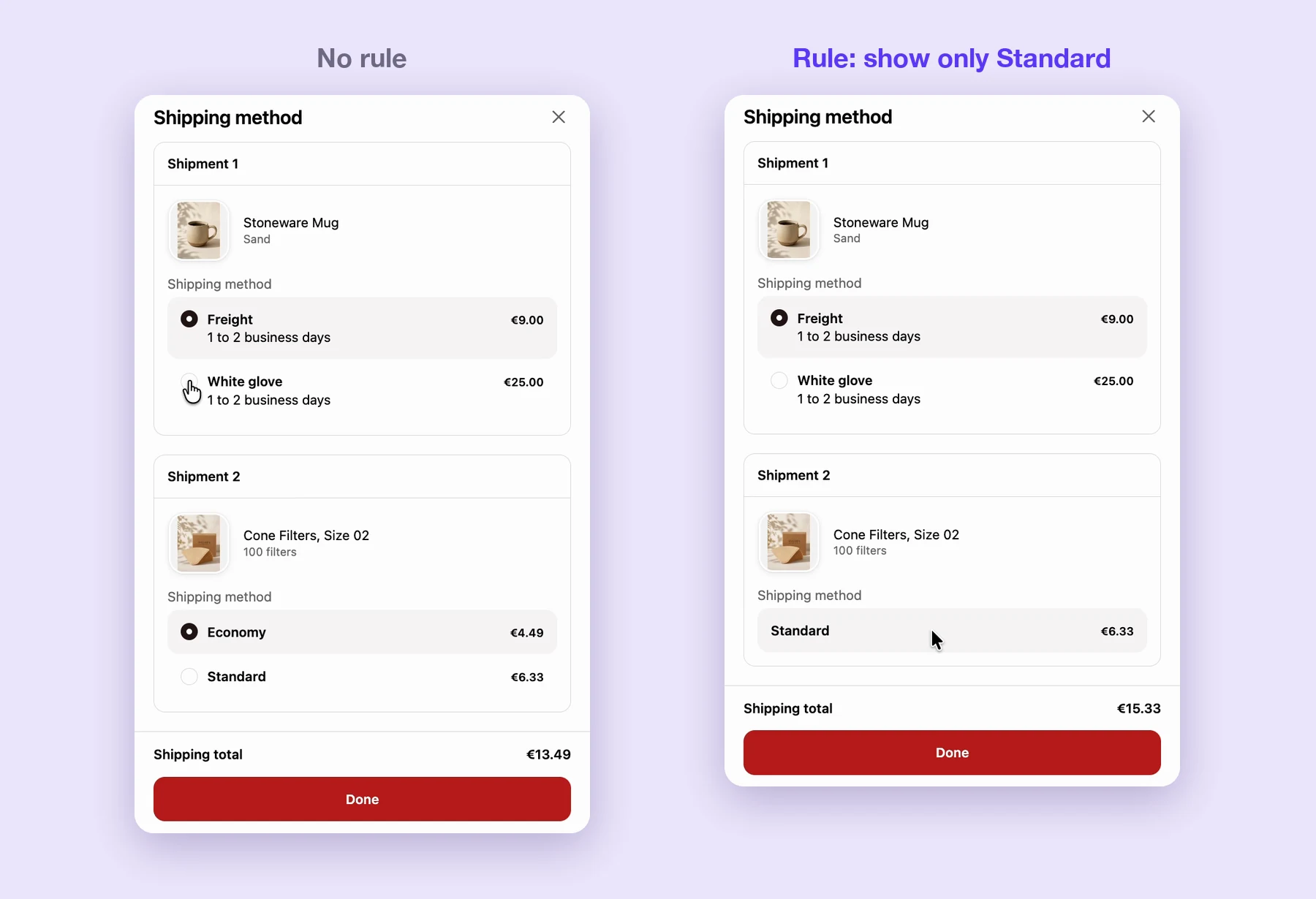
Shipment 2 keeps Standard and drops Economy. Shipment 1 has no Standard rate, so it keeps its own two and the customer can finish.
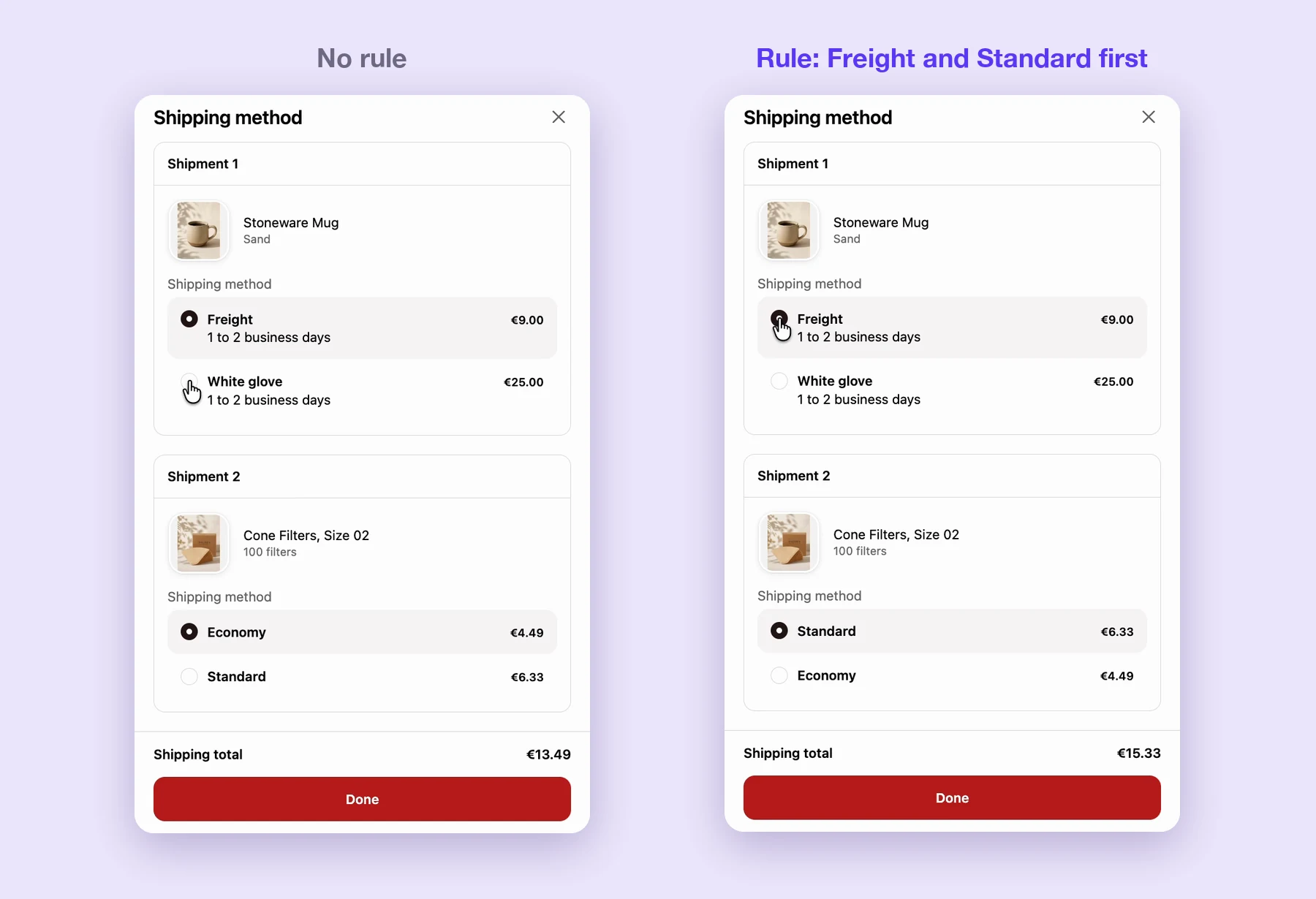
Reorder
Positions are counted from 1 inside each shipment. Move Freight and Standard to position 1, and each leads the shipment it belongs to.
Hide and rename
These match by name in every shipment. Take care with hide rules: if a shipment has one rate and your rule hides it, that shipment has nothing left. To offer only one rate, use a show-only rule, which never empties a shipment.
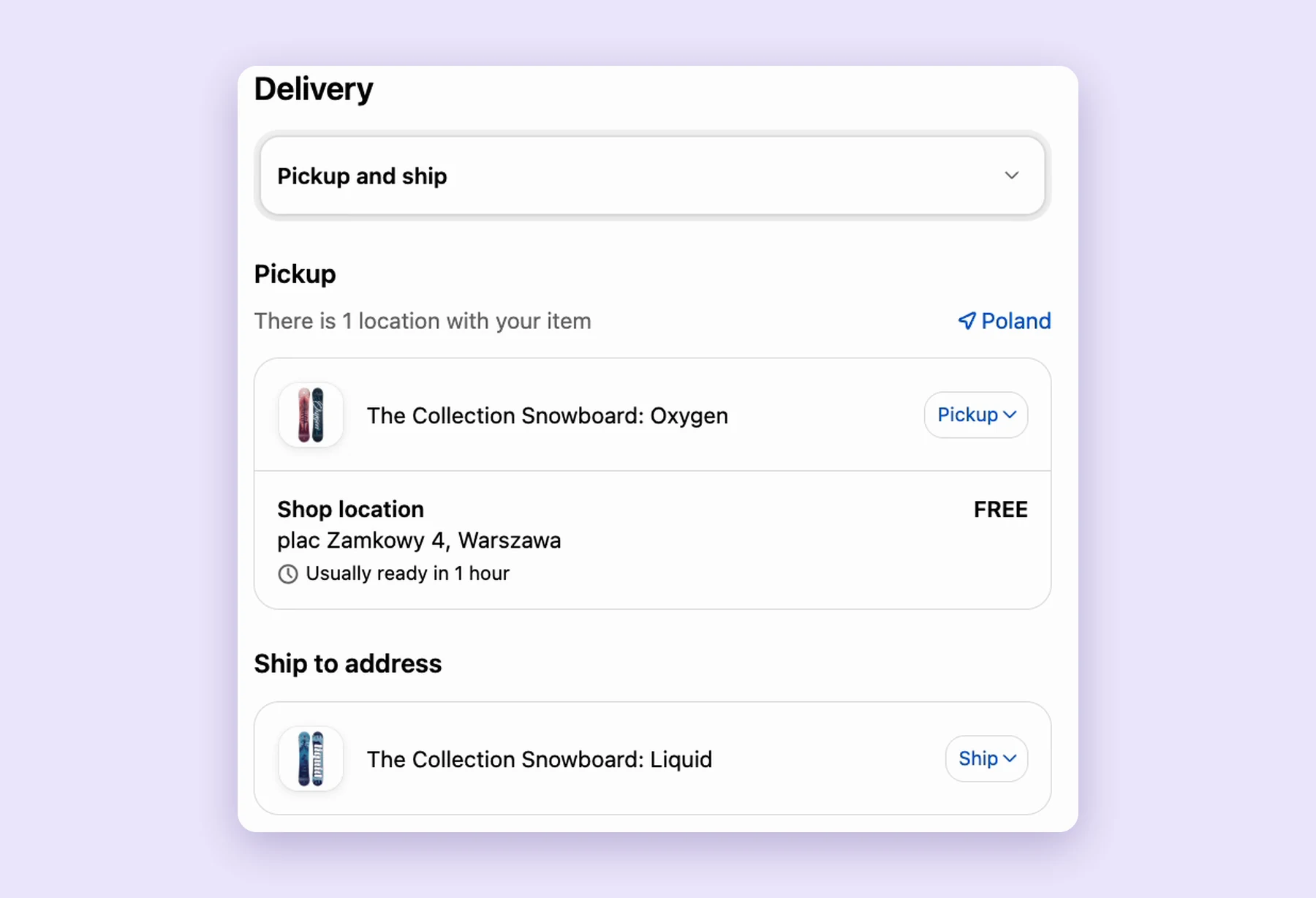
Ship and pickup in one order
On Plus stores with the feature on, each part of the order has its own options. A show-only rule for a shipping rate limits the shipped items and leaves the pickup alone. To be sure a rule can never touch pickup, set its Apply to scope to shipping rates.
After checkout
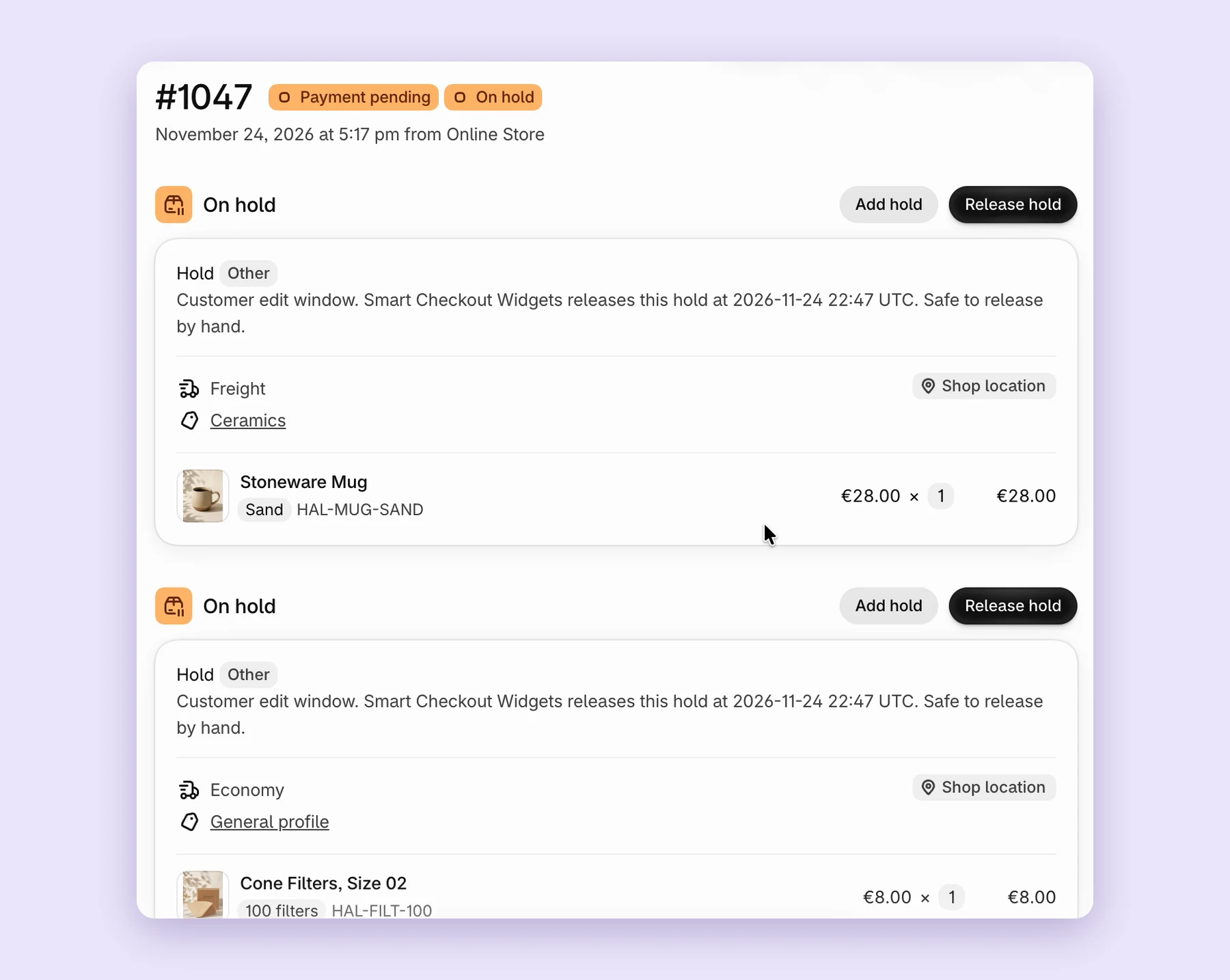
If customers can edit their own orders, every package is held until the edit window ends, and then they are all released.
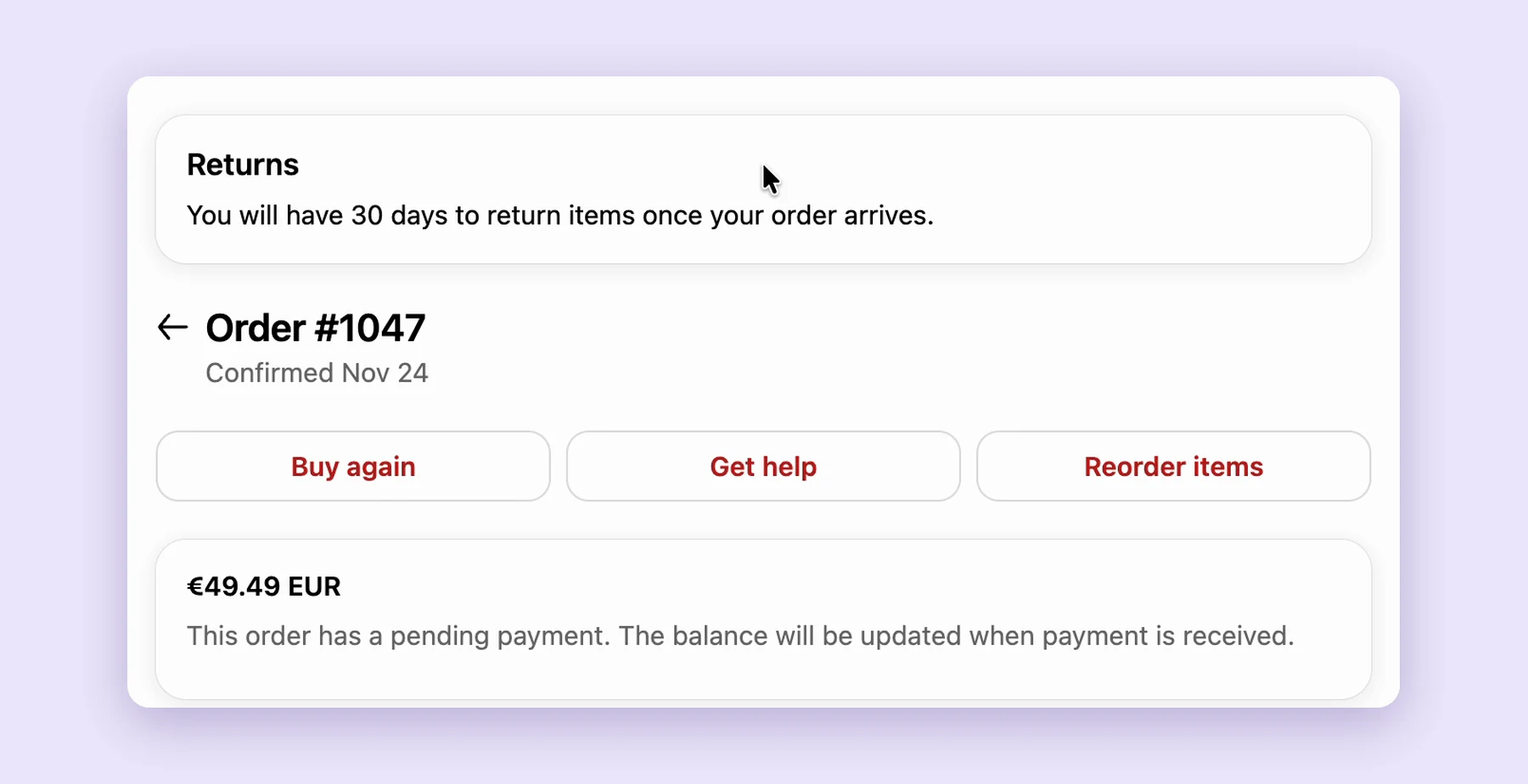
The return window on the customer's order page waits for the last package. With one package sent, it says the window starts once the order arrives.
Test yours
- Find two products that ship from different shipping profiles or locations.
- Put both in a cart and open the shipping step.
- Check that each shipment has at least one rate, with your rules on.
In the app, order editing is part of the Pro plan and the return window block is part of the paid plans.
Frequently asked questions
Is split shipping available on Shopify Basic?
Yes. Shopify made split shipping in checkout available to all merchants in August 2024. You need more than one shipping profile or location to use it.
Is ship and pickup in one order available on Shopify Basic?
No. Shopify offers it on the Plus and Enterprise plans, as a feature test drive until July 1, 2027.
Why can a shipping rule block checkout?
If a rule removes every rate from one shipment, the customer has nothing to choose there and cannot finish. A show-only rule in Smart Checkout Widgets keeps a shipment's own rates when none of the named ones is offered.
Do shipping rules apply to each shipment separately?
Show-only and reorder rules work inside each shipment. Hide and rename rules match by name in all of them.
Can a shipping rule hide store pickup by mistake?
Set the rule's Apply to scope to shipping rates and it never touches pickup.
Do I need Shopify Plus for the rules?
No. Shipping method rules work on every Shopify plan.