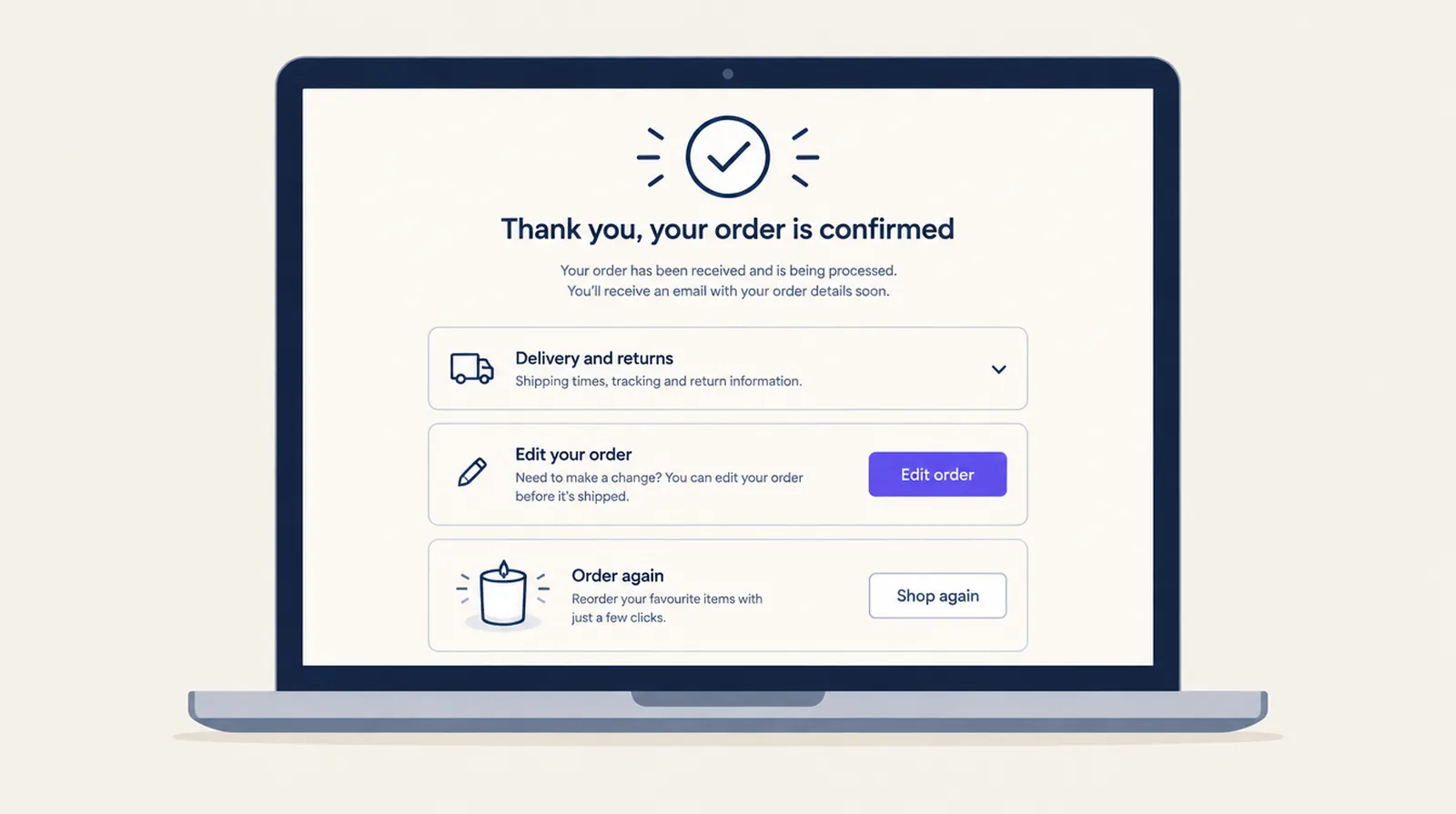
In late August 2026 Shopify moved the remaining non-Plus stores to the new Thank you and Order status pages. The pages still load, but anything that lived in the old Additional scripts box no longer runs. You now add content to those pages with app blocks, and tracking moves to pixels. If you were never on Plus, these two pages are where you can customize the most, on every plan except Starter.
What merchants are reporting
- A post on r/shopify in August, Non-Plus stores: your Thank you and Order status pages won't go down on Aug 26. Your tracking might, warned that conversion tags can stop firing even for stores that don't think they use custom scripts.
- In October, a merchant posted Shopify changed my checkout, and sales dropped by 90%. The top reply said a drop that big almost never comes from layout alone.
- Another r/shopify thread asked how to add a QR code for a local payment app. Replies pointed out that an image in checkout isn't a payment method.
If sales dropped after the change, check this first
- Place a test order with every payment method you offer, on a phone as well as a desktop.
- Open abandoned checkouts in Shopify and look at where people stopped.
- Check your payment and shipping rules. If you use Smart Checkout Widgets, ask Shopify Sidekick "why is cash on delivery missing?" and it tells you which rule, if any, hides it.
- Check your purchase tracking. If the Meta, Google or TikTok purchase event lived in Additional scripts, the sales may still be happening but no longer reported. Rebuild it under Settings > Customer events. Smart Checkout Widgets doesn't handle tracking.
What to put on the Thank you and Order status pages
These blocks work on Basic, Shopify, Advanced and Plus:
- Order editing (Pro plan). Customers fix an address, swap a size, lower a quantity or cancel, until the window you set ends. Put it on both pages.
- Accordion with delivery times, returns and who to contact. It answers "where's my order?" before the email arrives.
- Custom banner or Custom content. For a manual payment method, add the QR code image and the steps to pay next to the instructions Shopify already shows. You can also use it for a referral code or a care guide.
- Upsell as a reorder offer. On these pages each product links to a new cart with that product in it, so it suits refills and add-ons.
- Trust badges and Payment icons, if you want the returns promise visible again after purchase.
Thank you or Order status?
The Thank you page is seen once, straight after paying. The Order status page is where customers land from the confirmation and shipping emails, often more than once. Put order editing on both. Put delivery and returns details on Order status, because that's where people go when they're waiting. Keep the Thank you page short: the confirmation, one useful next step, and one offer at most.
Add a block
- Create the widget in the app under Widgets.
- In Shopify, open Settings > Checkout > Customize and pick Thank you or Order status from the page menu.
- Add the Smart Checkout Widgets app block, choose your widget in its settings, and save.
The app's Results page counts block views for each widget type on both pages, so you can check which blocks customers are seeing.
Frequently asked questions
Did Shopify's August 2026 upgrade remove my Thank you page?
No. The page still works. What stopped is custom code in the old Additional scripts box. Content now comes from app blocks, and tracking from pixels under Settings > Customer events.
Can I add apps to the Thank you page without Shopify Plus?
Yes. Every plan except Starter can add app blocks to the Thank you and Order status pages. Only the checkout page itself needs Plus.
Where did my conversion tracking go?
If it was in Additional scripts, it no longer runs. Rebuild it as a pixel under Settings > Customer events, or with your ad platform's Shopify app.
Can I show a QR code for a local payment app?
Yes, as an image in a Custom banner on the Thank you and Order status pages. It isn't a payment method in checkout, so the customer pays after placing the order, as with any manual payment method.