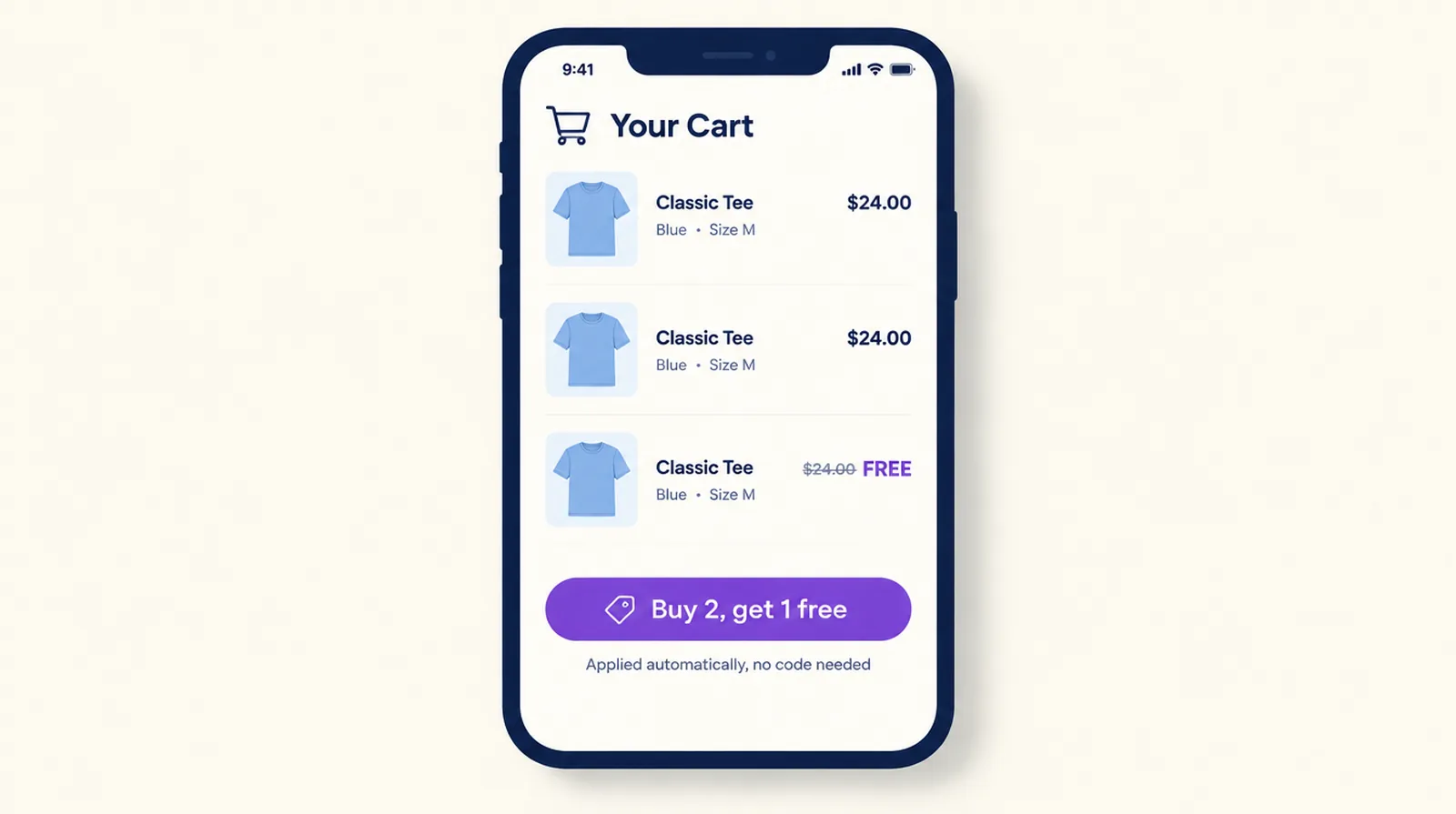
For a BOGO discount code, use Shopify's own Buy X get Y discount with the Discount code method. Before you email the code, know that Shopify never adds the free item to the cart. The shopper has to add the item they're paying for and the free one, then enter the code. If the free item is a different product and you'd like it to appear by itself when the code goes in, that's a gift tied to a code, which Smart Checkout Widgets adds for the shopper in checkout on Shopify Plus.
Set up a BOGO code in Shopify
- In the Shopify admin, go to Discounts and click Create discount.
- Choose Buy X get Y, then the Discount code method, and type a code or generate one.
- Under Customer buys, choose Minimum quantity of items, enter 1, and pick the product or collection.
- Under Customer gets, set the quantity to 1, pick the same product or collection, and choose Free. Pick Percentage instead for "buy one, get one 50% off".
- If you want one free item per order however many the shopper buys, tick Set the maximum number of uses per order and enter 1.
- Set eligibility, usage limits, combinations and active dates, then click Save.
Settings that decide whether the code works
The minimum in Customer buys counts products at full price, before other discounts. Items already discounted by a discount that combines with this one don't count toward it. On a store-wide sale, a cart can fall short of the minimum with the right products in it.
The free item needs stock. If it sells out, Shopify shows it as sold out and the code can't be used, so check its inventory before the email goes out.
Active dates follow the time zone set in your Shopify admin. For a one-day code, pick the same day for the start and end. Limit to one per customer checks the email address or phone number, which suits a code sent to a whole list.
Why shoppers say the code doesn't work
Check first whether the free item is in the cart. Shopify's help page says the "get" item is never added automatically, whether the discount is a code or automatic. So the email, the banner and the product page all need the same instruction: add two to your cart, then enter the code at checkout.
A cart link saves the shopper that step. Shopify's cart permalinks take variant IDs and quantities, plus a discount parameter, so a link like /cart/VARIANT_ID:2?discount=YOURCODE fills the cart with two of the product and applies the code. If you want per-link reports, or a size picker before checkout, Cart Rocket builds those links.
Next, check stacking. A shopper can use up to five product or order codes and one shipping code on an order, and only codes set to combine with each other apply together. When they can't combine, Shopify keeps whichever discount is best for the customer, and the shopper sees "Discount couldn't be used with your existing discounts." There's more on this in why a Shopify discount disappears at checkout.
When the free item is a different product
"Buy any serum, get a cleanser free with code GLOW" works as a Buy X get Y code too, but the shopper still has to find the cleanser and add it. A coupon gift in Smart Checkout Widgets does that part for them.
Under Checkout Gifts, create a gift tied to a discount code. Then add the Smart Gift block to the Order summary section of the checkout page in Shopify's checkout editor. When the buyer applies the code, the gift is added. If they remove the code, the gift goes with it.
- A coupon gift can have a minimum or none. The minimum is an amount or a number of items, counted across the whole cart, specific products or specific collections. "Buy one serum" is a minimum of one item from your serum collection.
- With customer choice, the buyer picks from several gifts, up to a cap you set. On paid plans a gift can be limited to specific customers.
- Keep the gift variant at its normal catalogue price. The app discounts it at checkout, and a variant priced at zero has nothing to discount if a gift ever fails to come off.
Adding the gift for the shopper needs Shopify Plus, because the block runs on the checkout page. On other plans there's no block, but the discount still makes the gift free when the shopper adds the gift product themselves, which is the same experience as a native code. A theme developer can also apply a gift code on the cart page so the gift shows before checkout. See free gifts on the cart page with a gift code.
How gift codes stack with your other discounts
Two rules apply to every gift in the app. Only one gift coupon works at a time, so a second gift code on top of the first is rejected. And gift discounts always combine with product, order and shipping discounts, with no setting to turn that off. Run 20% off everything and a gift code in the same week, and a shopper gets both, so check the margin first.
Which one to use
- Same product, buy one get one free or half price: a Shopify Buy X get Y code.
- A different free product on a store that isn't on Plus: a Buy X get Y code, plus a cart link or clear instructions so the free item is in the cart.
- A different free product on Plus, added when the code is entered, or a choice of gifts: a coupon gift in Smart Checkout Widgets.
To skip the code entirely, see BOGO and automatic discounts in checkout.
Gifts are on every Smart Checkout Widgets plan, including the free Starter plan for stores up to 100 orders a month. Before sending any BOGO code, place a test order with the code below the minimum, at the minimum, and with the free item sold out.
Frequently asked questions
How do I create a BOGO discount code in Shopify?
Go to Discounts, click Create discount and choose Buy X get Y with the Discount code method. Set Customer buys to a minimum quantity of 1 on the product, set Customer gets to 1 of the same product as Free, and save. Set the maximum uses per order to 1 if you want one free item per order.
Why is my Shopify Buy X get Y code not working?
Check that the free item is in the cart, because Shopify never adds it. Then check that the free item is in stock, that the minimum is met at full price, and that the code is allowed to combine with any other discount already on the order.
Does Shopify add the free item to the cart automatically?
No. With a Buy X get Y discount the shopper has to add the free item. A cart link that adds both items and applies the code avoids that, and on Shopify Plus a Smart Checkout Widgets coupon gift adds the gift when the code is applied.
Can a BOGO code combine with other discounts?
Yes, if both discounts are set to combine in their Combinations section. A shopper can use up to five product or order codes and one shipping code per order. If they can't combine, Shopify keeps the best discount for the customer.
Can I limit a BOGO code to one use per customer?
Yes. Tick Limit to one per customer in the discount's usage limits. Shopify checks the email address or phone number.