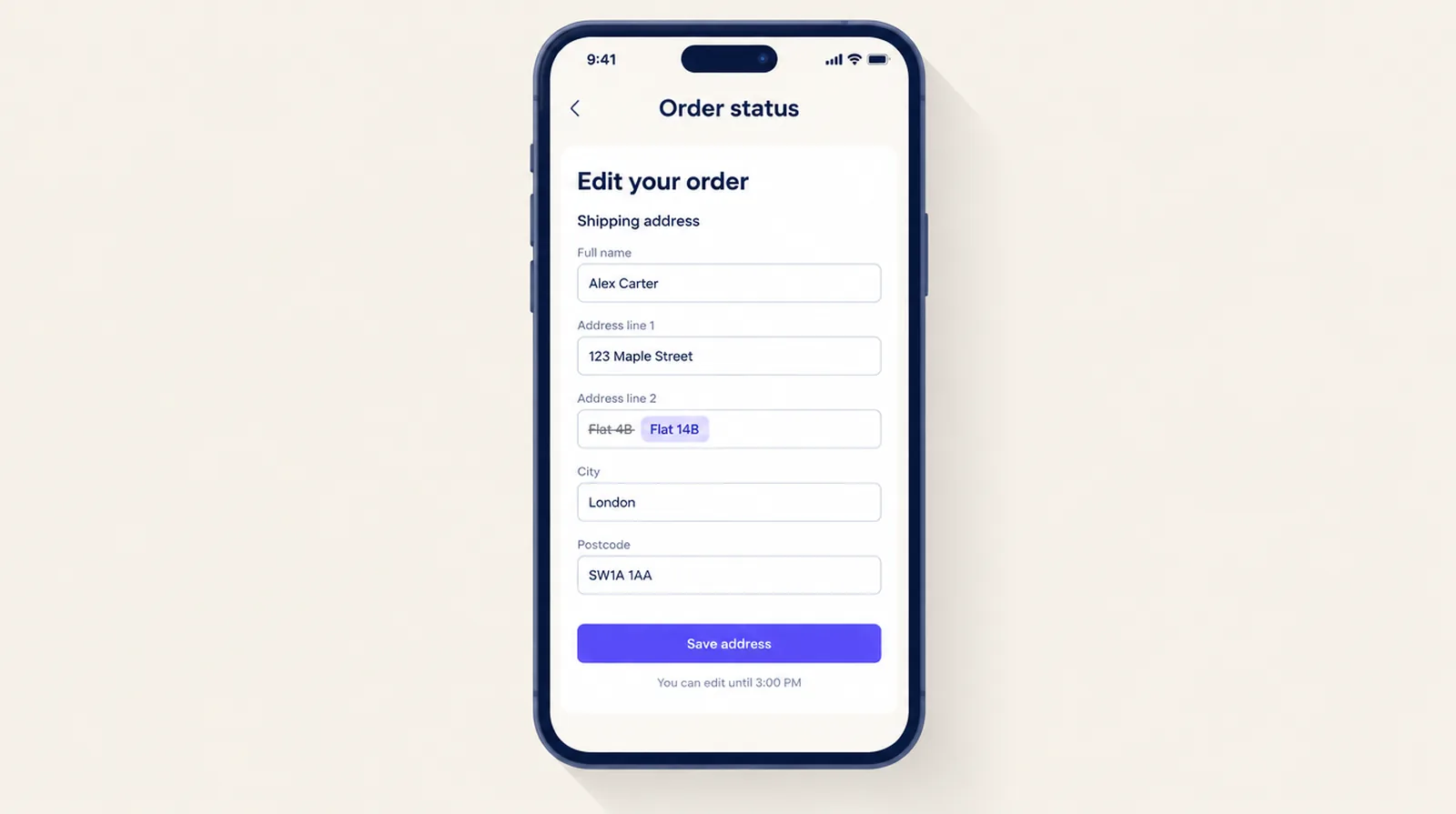
Shopify doesn't let a customer touch an order once it's placed. So when someone types the wrong flat number, they have to email you, and if the email arrives after you've packed the order, the parcel goes to the wrong door. Order editing in Smart Checkout Widgets puts a small edit panel on the Thank you and Order status pages. The customer fixes the address there, inside a window you choose, and the order is held until that window closes. It's part of the Pro plan and works on every Shopify plan except Starter.
What people on Reddit are dealing with
In September 2026 a merchant on r/shopify posted Need customers to fix their own shipping address without it becoming a support ticket. They get four or five a week, and asked whether a "change address" button on the Thank you or Order status page would solve it. Order editing adds that button.
In October, a thread on r/smallbusiness asked when you stop accepting changes to an online order: at picking, or once it's packed? The answers drew the line in different places. One reply said a wrong address is the one late change they still take, since a reprinted label costs less than a lost parcel.
What a customer can change
You choose which of these to allow. Each one has limits so an edit never leaves the order in a state you didn't expect.
| Change | Limits | Money |
|---|---|---|
| Shipping address | Same country and same state or province. The order has to need shipping. | None |
| Swap a size or colour | Paid orders. Another in-stock variant of the same product at the same price. Not on discounted lines. | None |
| Lower a quantity or remove an item | Paid orders. Removing the last item counts as a cancellation. | Refunded to the original payment method |
| Request a removal | Shown instead of the row above when the order has a discount or a free gift. You approve it in Shopify. | Only if you approve |
| Cancel | Any unfulfilled order. | Full refund, items restocked |
Stop the order shipping before the customer has checked it
An edit window only helps if nobody ships the order during it. Turn on Hold new orders until the edit window ends and every new order gets a fulfillment hold with its release time on it. The app lifts the hold when the window ends. If an order needs to go out sooner, release it from the order page in Shopify.
Pick a window shorter than the gap between an order coming in and someone packing it. If you pack the same afternoon, keep it short. If orders wait a day, you can give customers longer.
What still comes to you
- A move to a different state, province or country. Taxes and shipping rates can change, so the panel doesn't offer it.
- Anything after an item has been fulfilled, or after the window ends.
- Billing address changes. Shopify ties the billing address to the payment.
Set it up
- Open Order Editing in the app, tick Let customers edit their orders, pick the window and the changes to allow, and save.
- Click Allow access. Address changes, cancellations and lower quantities work without it, but variant swaps and holds need it.
- Click Add to Thank you page. In Shopify's checkout editor, add the Order editing block under Order details and above the buttons at the bottom, then save.
- Do the same on the Order status page. Customers reach it from their confirmation email, so they can come back to it later.
The block only shows while the order can still be edited, so you can leave it in place. Edited orders get a Customer edited tag, and the Order Editing page lists the last 50 edits.
Frequently asked questions
Can a customer change their shipping address after placing a Shopify order?
Not with Shopify alone. With Smart Checkout Widgets order editing, they can change it themselves on the Thank you and Order status pages until the edit window ends or an item ships, as long as the new address is in the same country and state or province.
Does this need Shopify Plus?
No. Order editing runs on the Thank you and Order status pages, which every Shopify plan except Starter can customize. It's part of the app's Pro plan.
How do I stop an order shipping before the customer has fixed it?
Turn on the fulfillment hold. Each new order is held until its edit window ends, and the app releases it then. You can release any order early from Shopify.
What if the customer needs to ship to another state or country?
The panel doesn't offer that, because taxes and shipping rates can change. The customer contacts you and you edit or cancel the order in Shopify.
How do I know an address was changed?
Edited orders are tagged Customer edited in Shopify, and the Order Editing page in the app lists recent edits.